Поиск по сайту
Голосование
The hob control panel is not responding: causes and solutions
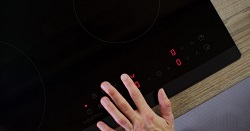 If your cooktop's touch or button panel stops responding, it doesn't always indicate a serious problem.
Often, the issue is related to a blockage, contamination, power supply errors, or operating conditions.
Below are common causes, self-diagnosis methods, and safety steps that can help restore the panel's functionality or determine when professional assistance from cooktop repair near me is needed.
Main Reasons Why a Panel Is Unresponsive
1) Child Lock or Protection Mode Activated
Many cooktops have a child lock feature, as well as automatic overheat protection modes. Externally, this appears to be "the panel is not working," although the device is working properly.
- Signs: the lock icon is lit on the display, you can hear signals when touching, but commands are not executed.
- What to do: Hold the lock button for 3-10 seconds (the exact time depends on the model). Sometimes you need to press two keys simultaneously (for example, "+" and "-").
2) Moisture, grease, carbon deposits, or water on the touch area
Touch panels perceive moisture and a greasy film as false touches or, conversely, "freeze," ignoring touches. Even drops of water after wiping can temporarily block the controls.
- Signs: the panel sometimes responds, sometimes not; an error signal is heard; Some zones are "dead."
- What to do: Turn off the hob, wipe the glass ceramic and sensor area dry with a soft cloth, remove grease with a neutral cleaner, and wait 10-20 minutes for it to dry completely.
3) Incorrect cookware or overheating (relevant for induction)
Induction models may limit control if the cookware is unsuitable, is installed crookedly, has a diameter that is too small, or the zone is overheated. Sometimes it feels like the "sensor isn't working," even though the system simply won't let you turn on the burner.
- Signs: The burner won't turn on, codes are displayed on the display, and the power indicators are flashing.
- What to do: Use a ferromagnetic pan (check with a magnet), place it exactly in the center, let the surface cool, and ensure ventilation (don't block the gaps).
4) Power supply problems: network, plug, terminals, voltage surges
A power failure can cause the electronics to freeze: the panel doesn't respond or responds with a delay. This can be caused by a loose connection in the outlet or terminal block, a tripped circuit breaker, or power surges.
- Symptoms: the indicator light is off, the display is flickering, and the situation changes after unplugging/plugging.
- What to do: Unplug the device for 5-15 minutes (circuit breaker/plug), then plug it back in. If the problem persists, check the circuit breaker and outlet; if in doubt, call an electrician.
How to Distinguish a Software Lock from a Real Sensor Failure
When the control panel is "unresponsive," it's important to first rule out a software lock (child lock, pause, cleaning mode, key lock). These conditions simulate a malfunction: touches are ignored, but the device remains functional.
If there is no lock, and there is a constant or partial lack of response, the real problem is most likely with the touch module, the panel's power supply, or the cables. You can distinguish one from the other by characteristic signs and simple tests without disassembling.
Signs and a quick check
- There is a lock indicator (key icon, "L", "Loc", "Lock") and the panel does not accept commands - this is most often a software lock.
- Unlocking is performed by a combination (holding down a specific sensor zone, for example, "Lock/Key", "Stop+Lock" for 3-5 seconds), after which control returns - this is definitely a lock.
- Only one zone (for example, "plus" or burner selection) does not work, while the other sensors respond - this is often a sign of a local sensor malfunction or contamination/moisture in a specific area.
- Sensors "live a life of their own" (involuntary pressing, power surges) - typical for moisture, overflow, residual heat, and less often for a defective sensor board.
- After After a power outage (unplug from the power outlet/circuit breaker for 1-2 minutes), the panel works again – this is more often due to an electronic freeze, not a broken glass or sensor.
- After a power outage, the situation remains the same: there is no lock indicator, and there is no response at all – the likelihood of a faulty sensor board, power supply, or cable is higher.
- Check the indicator: is there a lock icon or the text "Lock/Loc/L"?
- Try the standard unlock: hold the "Lock/Key" sensor (or the zone specified in the instructions) for 3-5 seconds. If you don't know the combination, refer to the icons next to the sensors.
- Avoid false alarms: wipe the hob dry, remove any dishes, avoid touching the hob with wet hands, and wait for the glass to cool.
- Reset the hob: completely disconnect the power supply for 1–2 minutes and then turn it on again.
- Evaluate the result: if unlocking/restarting restores control, the problem was